AR00241 ARCSLA1 Automatic Can Sealer Instruction Manual

ARC Technical Manual · AR00241 / ARCSLA1
AR00241 ARCSLA1 Automatic Can Sealer Instruction Manual
User guide, adjustment, maintenance and safety for the AR00241 ARCSLA1 automatic can sealer.
Consult here the essential instructions for working safely with the AR00241 ARCSLA1 automatic can sealer, adjusting the equipment correctly and maintaining a uniform seal in each batch.
Quick Fact Sheet
| ARC Model | AR00241 / ARCSLA1 |
| Related machine | Automatic can sealer |
| Category | Can Sealers |
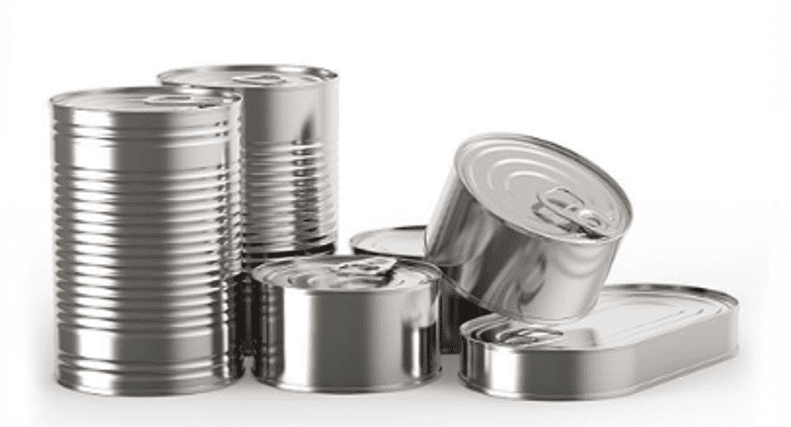
| Use | Metal can closures, compatible circular containers and lids suitable for roller closure. |
Before using: Connect the machine to a suitable electrical installation, check the grounding and ensure that the print head, tray, rollers and work area are clean and properly adjusted.
Description of the automatic can sealer
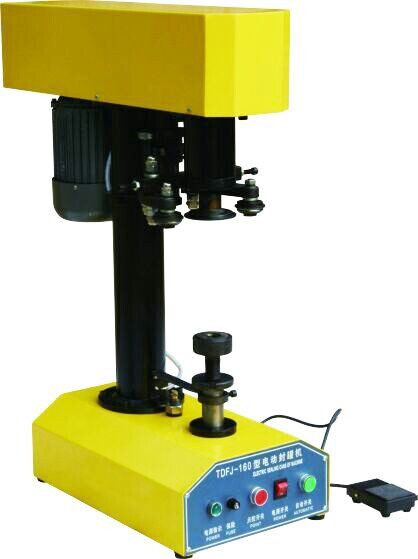
The AR00241 ARCSLA1 It is an automatic can sealer designed to seal circular containers using pressure and sealing rollers. It is designed to achieve a stable seal, free of leaks, burrs, and creases when using compatible cans and lids.
The machine allows for foot pedal operation and automatic stop at the end of the cycle. It can also be configured for continuous operation when required by the format and work process.
Technical parameters of the manual
| Production capacity | Up to 25 units/minute depending on working conditions and format. |
| Diameter range | Ø45 – Ø110 mm with corresponding head and tray. |
| Compatible can height | 39 – 200 mm depending on rod/spindle and table adjustment. |
| Shaft speed | 620 / 520 rpm depending on the equipment configuration. |
| Engine | 0.37 kW vertical. |
| Equipment weight | 70 kg approx. |
| Machine dimensions | 600 × 300 × 830 mm. |
| Packaged weight | 84 kg approx. |
| Packaging dimensions | 800 × 350 × 940 mm. |
Work process
- Connect the power supply and turn on the main switch.
- Place the lid correctly over the mouth of the can.
- Place the can on the tray or support plate.
- Press the pedal to start the closing cycle.
- The machine performs the closing process and stops automatically upon completion.
- Remove the sealed can and continue with the next unit.
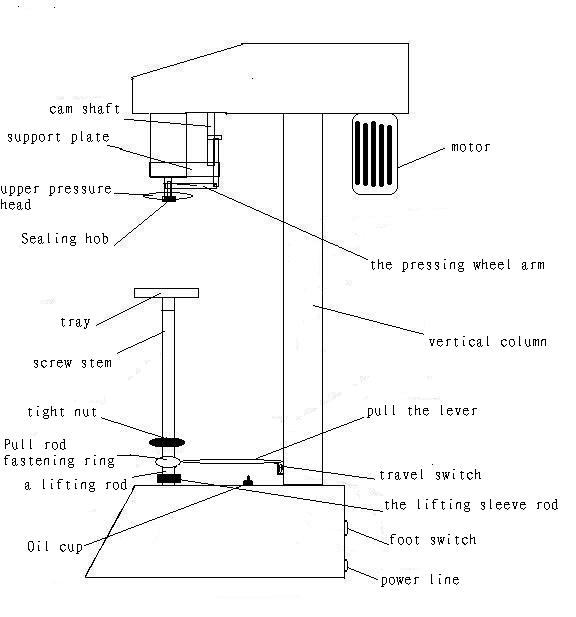
For continuous operation, adjust the lever and locking ring according to the can size. Make this adjustment only with the machine stopped and when it is safe for the operator.
Adjustments for can diameter and height
- Different diameters: Use the top pressure head and tray corresponding to the can format.
- Head replacement: Remove the tray manually and replace the upper printhead using the appropriate tool. Tighten securely before working.
- Roller adjustment: Adjust the distance between the left and right sealing rollers, taking the factory setting as a reference.
- Same mouth, different height: Use the appropriate rod or spindle and adjust the height of the lifting table.
- Different heights and diameters: It performs both adjustments: head/tray and lift height.
Use, cleaning and maintenance
- Before use, clean the lifting table, tray, head and closing area.
- Check that the sealing rollers and the print head are free of product residue.
- Add lubricant to the indicated rotating parts of the equipment.
- If any noise, blockage, irregular closure or abnormal situation occurs, stop the machine and check the source before continuing.
- Always check the grounding connection. Do not use the equipment if the electrical installation is unsafe.
ARC Recommendation: Schedule preventive maintenance if the machine works daily or during intensive production campaigns.
Technical diagrams of the equipment
Basic security
- Do not insert hands or tools into the closing area during the cycle.
- Do not adjust rollers, head or tray with the machine in motion.
- It only works with cans and lids compatible with the installed printhead.
- Keep the area dry, clean, and free of loose objects.
- Disconnect the machine before maintenance, deep cleaning, or format change.
ARC support related to this manual
This manual corresponds to the AR00241 ARCSLA1 automatic can sealer. For spare parts, maintenance, warranty or technical assistance, use official ARC channels.